

This Income Tax Filing Software helps professionals prepare, compute and file Income Tax Returns quickly while reducing manual effort and calculation errors. Whether managing a single return or thousands of client returns, the software automates tax computation, validates return information and simplifies Income Tax Return preparation according to the latest tax rules.
Spectrum Cloud • Income Tax
Income Tax Filing Software
Income Tax Filing Software for Faster and Accurate Return Preparation
Prepare Income Tax Returns with automated tax computation, return validation, bulk processing and easy client management.
- Income Tax Return Preparation
- Automatic Tax Computation
- Bulk Return Processing
- Return Validation
- Secure Data Management
Free 5-Day Trial • No Credit Card Required
Start Your Cloud Tax Software Trial
Spectrum Cloud • Income Tax
See Spectrum Cloud in Action
From data import to return filing, explore how Spectrum Cloud simplifies every step of Income Tax Return preparation.
01 / 04
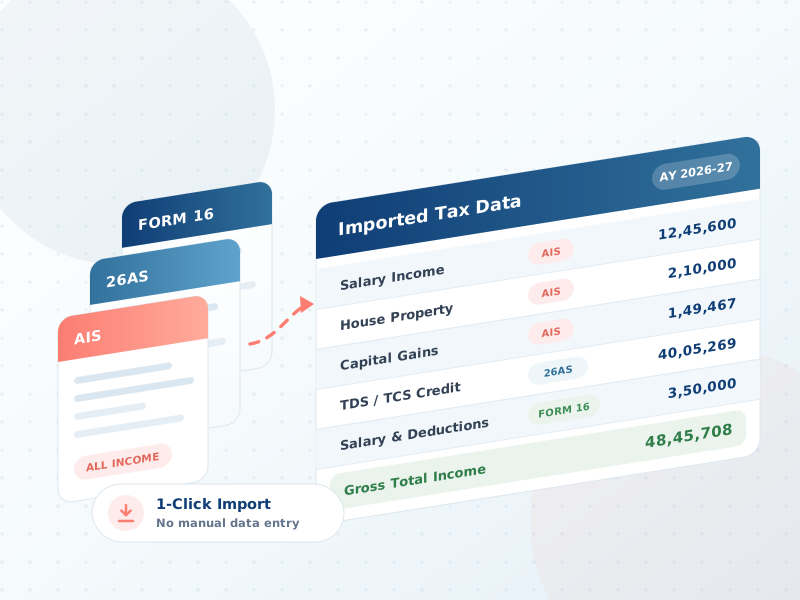
AIS, 26AS & Form 16 Import








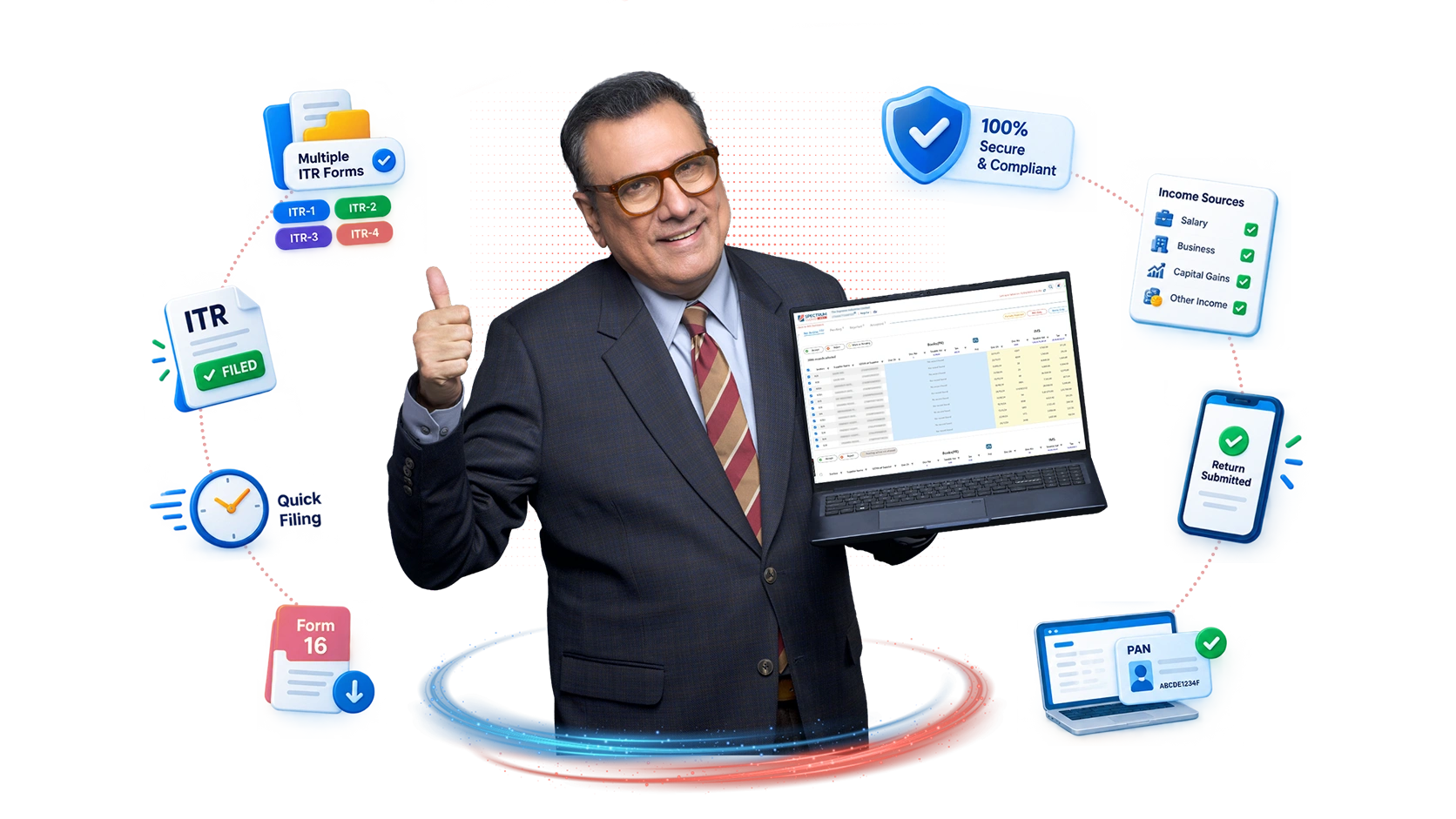
Designed as professional Income Tax Software, Spectrum Cloud also helps CA firms and tax professionals manage client data, automate repetitive tasks and streamline the complete ITR filing workflow.
What is Income Tax Filing Software?
Income Tax Filing Software is a professional application used to prepare, calculate, validate and manage Income Tax Returns. Instead of relying on manual calculations and repetitive data entry, professionals can use Income Tax Preparation Software to simplify return preparation and improve filing accuracy.
Spectrum Cloud provides software for filing Income Tax Return with automated tax computation, data import, return validation and bulk processing capabilities. It is designed to help Chartered Accountants, tax consultants and professional tax teams manage multiple client returns efficiently.
For professionals looking for ITR Software, a cloud-based solution can also provide access to client data and return preparation workflows without being dependent on a single computer or office system.
Why Use Income Tax Filing Software?
Preparing Income Tax Returns manually can take significant time, especially when managing a large number of clients. Professional Tax Software for Professionals helps reduce repetitive work while improving the overall efficiency of the filing process.
Automate Tax Computation
Automatically calculate tax liability and applicable interest to reduce manual calculations.
Reduce Manual Data Entry
Import relevant taxpayer information and reduce repetitive data entry during return preparation.
Manage Multiple Returns
Handle hundreds or thousands of Income Tax Returns from a centralized platform.
Improve Filing Accuracy
Built-in validation and data checks help identify potential errors before filing.
Work More Efficiently
Streamline repetitive tasks and spend more time on reviewing returns and serving clients.
Access From Anywhere
Cloud-based access allows professionals to work on Income Tax Returns without system dependency.
Income Tax Filing Software Features
Automatic Income Tax Computation
Automatically calculate tax liability based on taxpayer information, applicable deductions and relevant tax rules.
AIS & 26AS Data Import
Import AIS and Form 26AS information to reduce manual data entry and simplify Income Tax Return preparation.
Automatic ITR Form Selection
Identify the appropriate ITR form based on taxpayer information and simplify the return preparation process.
Form 16 Data Import
Import Form 16 information to automatically populate relevant salary, TDS and deduction details.
Automatic Capital Gains Mapping
Simplify capital gains reporting by automatically mapping available capital gains information to the relevant ITR schedules.
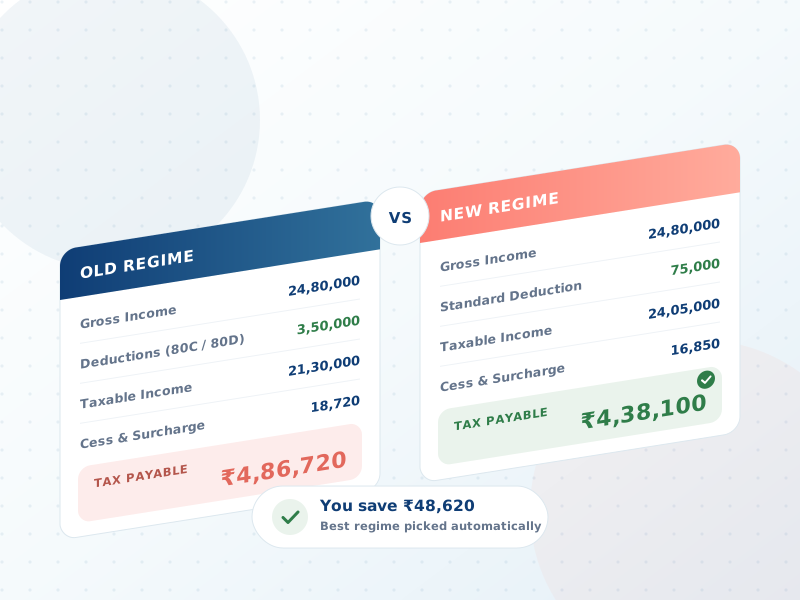
Old vs New Tax Regime Comparison
Compare tax liability under the Old and New Tax Regimes to help professionals evaluate the applicable tax option.
234A, 234B & 234C Interest Calculation
Automatically calculate applicable interest under Sections 234A, 234B and 234C as part of tax computation.
AIS vs Computation Check
Compare AIS information with tax computation to identify potential differences before filing.
Return Validation & Error Checks
Identify missing or inconsistent information before filing to help reduce avoidable Income Tax Return errors.
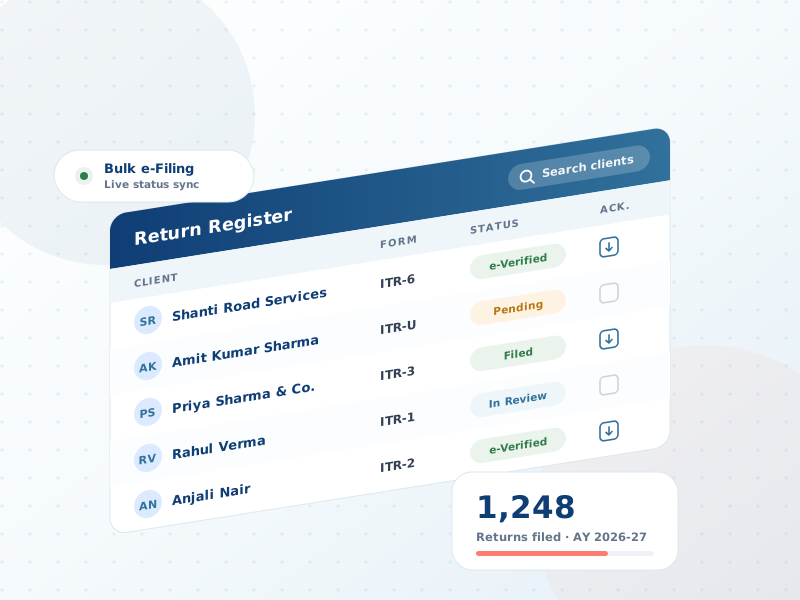
Bulk ITR Processing
Prepare and manage large volumes of Income Tax Returns efficiently from one platform.
Schedule III Financial Statements
Prepare and manage Schedule III financial statements as part of the Income Tax Return preparation workflow.
P&L & Balance Sheet
Generate Profit & Loss statements and Balance Sheets to simplify financial statement preparation.
Trial Balance Import
Import trial balance information to reduce manual work and streamline financial data preparation.
ITR-U & Revised Return Filing
Prepare Updated Income Tax Returns and Revised Returns efficiently when required.
Historical ITR Data
Access historical return information to simplify year-on-year Income Tax Return preparation.
Notice & Order Management
Manage Income Tax notices and orders for multiple clients from a centralized dashboard.
Smart Return Register
Track return status, download forms and acknowledgments, and maintain organized client filing records.
Cloud-Based Access
Access ITR Filing Software from anywhere without installing the software on a specific computer.
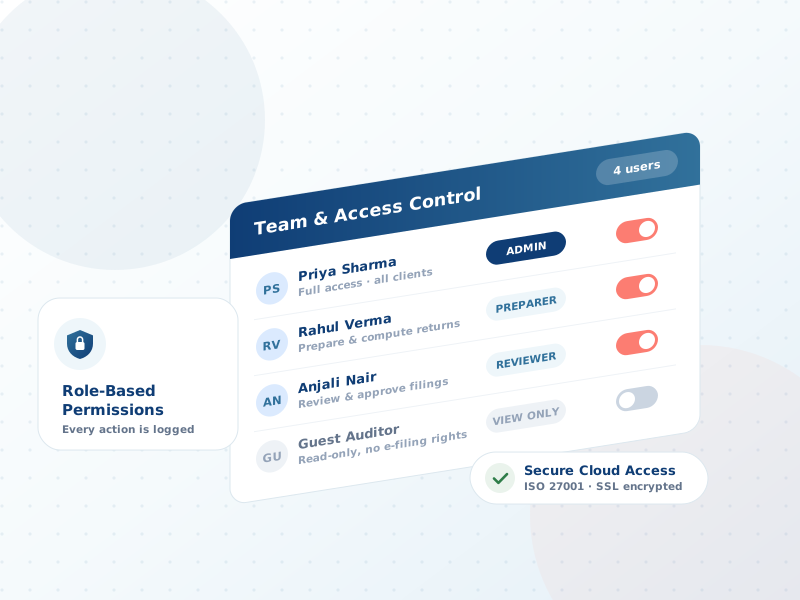
Role-Based User Access
Manage team access with role-based permissions for different users within a CA firm.
Secure Data Management
Protect sensitive taxpayer and client information with secure cloud-based data management.
How Income Tax Filing Software Works
- 01
Step 1 — Import Client Data
Import taxpayer information using available data sources such as PAN, Excel or supported file formats.
- 02
Step 2 — Fetch Tax Information
Import AIS and 26AS data and add Form 16 information where applicable.
- 03
Step 3 — Select & Prepare ITR
Identify the appropriate ITR form and prepare the Income Tax Return using available taxpayer information.
- 04
Step 4 — Compute Tax
Automatically calculate tax liability, deductions and applicable 234A, 234B and 234C interest.
- 05
Step 5 — Review & Validate
Review the computation, compare applicable tax regimes and validate the return before filing.
- 06
Step 6 — File & Track
E-file the Income Tax Return and track filing status and acknowledgments from the return management dashboard.
Who Should Use Income Tax Filing Software?
Spectrum Cloud is designed as Tax Software for Professionals who manage Income Tax Returns for multiple taxpayers.
Chartered Accountants
Prepare and manage large volumes of client ITRs from one centralized platform.
CA Firms
Manage multiple users, clients and Income Tax Returns through a cloud-based workflow.
Tax Professionals
Reduce manual calculations and streamline professional Income Tax Return preparation.
Tax Consultants
Simplify client data management, tax computation and return filing.
Accounting Firms
Manage Income Tax compliance alongside financial data and client records.
Finance Teams
Organize Income Tax Return preparation and compliance workflows efficiently.
Benefits of Income Tax Filing Software
01
Prepare Returns Faster
Automate repetitive tasks and reduce the time required for Income Tax Return preparation.
02
Reduce Manual Calculations
Automated tax computation helps minimize repetitive calculations and manual effort.
03
Handle More Clients
Bulk processing allows professionals to manage significantly larger volumes of Income Tax Returns.
04
Improve Filing Accuracy
Validation checks and automated comparisons help identify potential errors before filing.
05
Simplify Client Management
Keep taxpayer information, return history and filing records organized in one platform.
06
Work From Anywhere
Cloud-based ITR Software allows professionals to access their filing workflow from different locations.
07
Reduce Repetitive Work
Automate data import, computation, form selection and other repetitive filing activities.
08
Improve Practice Productivity
Spend less time on manual processing and more time managing clients and reviewing returns.
SoftwareSuggest
5.0 / 5.0 Rating
Top Tax Automation Award
Techjockey
4.4 / 5.0 Rating
Best CA Firm Software
Capterra
5.0 / 5.0 Rating
High Value for Money
Google Reviews
4.6 / 5.0 Rating
5,000+ CA Ratings
Customer Testimonials
What Our Customers Say
 Google Review
Very Useful software for Income tax and GST Practitioners and we are using since 15 Years comfortably.. And they resolve any issues very quick.. Mostly Recommended..
Google ReviewIts easier to file gstr 1 and itrs. the executives are resolved the issues quickly.
Google ReviewReceived information for ITR U is very important and nicely described by the person
Frequently Asked Questions
Income Tax Filing Software helps professionals prepare, calculate, validate and file Income Tax Returns while reducing manual calculations and repetitive work.
Income Tax Preparation Software is used to calculate tax, prepare Income Tax Returns, validate taxpayer information and streamline the return preparation process.
It automates tax computation, imports relevant taxpayer information, validates return data and helps professionals prepare and file Income Tax Returns efficiently.
Yes. Income Tax Software is designed for Chartered Accountants, tax consultants, accounting firms and other professionals managing Income Tax Returns.
ITR Filing Software helps professionals prepare, validate and manage Income Tax Returns through a streamlined digital workflow.
Yes. Professional ITR Filing Software can help manage and process large volumes of client returns from a centralized platform.
Yes. Spectrum Cloud supports AIS and 26AS data import to reduce manual data entry and simplify Income Tax Return preparation.
Yes. Form 16 data can be imported to populate relevant salary, TDS and deduction information during Income Tax Return preparation.
Yes. Spectrum Cloud provides automatic capital gains mapping to simplify the preparation of relevant ITR schedules.
Yes. Spectrum Cloud provides an Old vs New Tax Regime comparison to help professionals evaluate tax liability under both regimes.
Yes. The software automatically calculates applicable 234A, 234B and 234C interest during tax computation.
Yes. Spectrum Cloud provides Notice and Order Management to help professionals view, download and manage client notices and orders.
Yes. Spectrum Cloud is cloud-based, allowing professionals to access their Income Tax filing workflow without being dependent on a specific computer or office system.
Yes. Spectrum Cloud supports preparation of ITR-U and Revised Income Tax Returns.
Yes. Professionals can start a free trial of ITR Filing Software to explore the platform and its Income Tax Return preparation features.
Ready to simplify Income Tax Return preparation?
Experience Spectrum Cloud for faster preparation, smarter computation and organized client return management.
Built for Chartered Accountants, Tax Firms and Tax Professionals.